
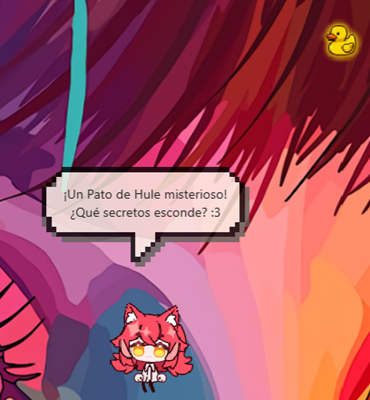
While Jacky runs in the background, he will occasionally spawn random collectible items on your screen. Click on one to add it to your permanent Collection — each item comes with unique AI-generated lore and rarity.
How Collectibles Work
Spawning
Collectibles appear randomly based on two conditions:
- A spawn check runs approximately every 60 minutes.
- On each check, there is a 25% chance that an item spawns.
Collectibles do not spawn during Silent Mode, Gamer Mode, or when Jacky is in a critical state (dragged, hurt, dying, attacking, falling, or asleep from boredom).
Sprites
There are 30+ different sprite types to discover, including:
| Sprite | Sprite | Sprite |
|---|---|---|
| Rubber Duck | Ancient Scroll | Pixel Heart |
| Sock | Crystal Ball | Four Leaf Clover |
| Yo-Yo | Compass | Shooting Star |
| Fidget Spinner | Hourglass | Moon Fragment |
| Snow Globe | Mysterious Key | Golden Taco |
...and many more surprises.
Each sprite has a unique icon and a localized display name. When a collectible spawns, it appears at a random position on your screen (at least 120px away from Jacky), bounces gently, and remains for up to 5 minutes before fading away.
Collecting an Item
When you click on a floating collectible:
- Jacky enters a happy state and a thinking bubble appears.
- Jacky sends the sprite name to the LLM to generate a unique card.
- A Collectible Card dialog appears showing:
| Card Element | Description |
|---|---|
| Sprite | A 64px version of the collectible's icon |
| Name | A creative, unique name generated by the LLM |
| Rarity | 1 to 5 stars (see table below) |
| Description | A short, humorous piece of "lore" generated by the LLM |
Even if you find the same object twice (e.g., a Rubber Duck), each instance will have a different name, description, and rarity — they're all unique!
Rarity Levels
Collectibles come in five rarity tiers, each with a distinct color:
| Level | Stars | Color | Label |
|---|---|---|---|
| 1 | ⭐ | Gray | Common |
| 2 | ⭐⭐ | Green | Uncommon |
| 3 | ⭐⭐⭐ | Blue | Rare |
| 4 | ⭐⭐⭐⭐ | Purple | Epic |
| 5 | ⭐⭐⭐⭐⭐ | Orange | Legendary |
Rarity affects the card border color in both the collection dialog and the card popup.
Adding or Dismissing
On the card dialog, you have two choices:
- Add to Collection — saves the item permanently to your collection.
- Dismiss — discards the card. The item is lost forever.
Jacky will speak a line of dialogue in either case (e.g., "A new treasure for the collection!" or "Not this time...").
Collection Panel
Access your full collection from the context menu: right-click Jacky → Collection Panel.
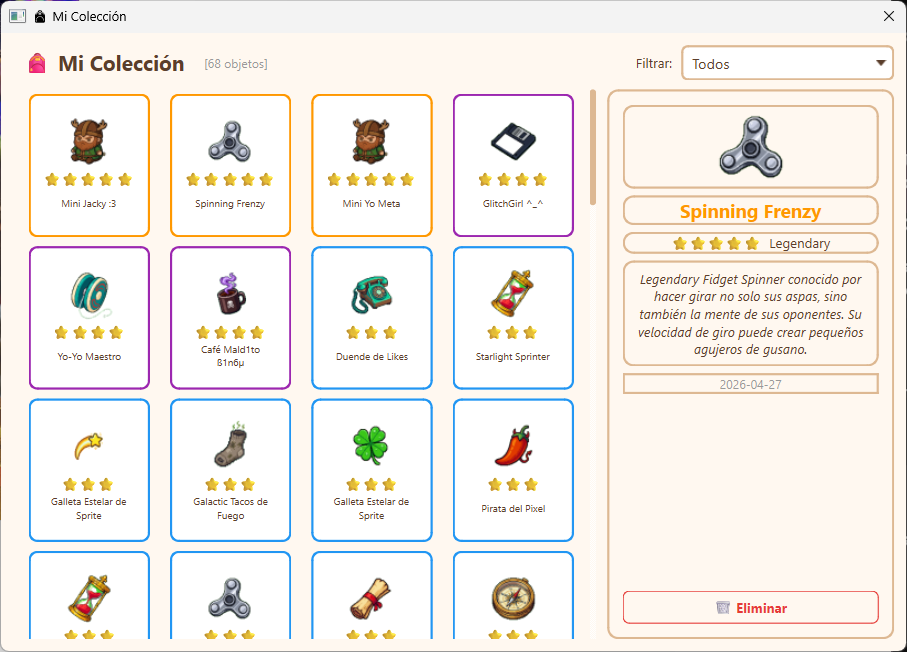
The panel shows:
- Grid view of all collected items, sorted by rarity (legendary first).
- "NEW" badge on items collected within the last 24 hours.
- Rarity filter dropdown to show only items of a specific tier.
- Detail panel (right side) showing the full card when you click an item:
- Large sprite preview (72px)
- Name, stars, and rarity label
- Full description / lore
- Collection date
- Delete button to remove the item from your collection
Deleting is permanent. Removed items cannot be recovered — Jacky will ask for confirmation before deleting.
Special Modes
Fallback System
If the LLM is unavailable or fails to generate a card, Jacky falls back to a pre-written catalog of humorous names and descriptions stored in fallbacks.json. These are localized to your language and drawn from a pool, so you'll still get a fun card even without an active LLM connection.
Evil Appearance Mode
When Jacky's appearance is set to Evil, all collectibles are forced to rarity 1 (Common). The card prompt is also tweaked with a darker, more mischievous tone.
Glitch Appearance Mode
When Jacky's appearance is set to Glitch, the collectible sprites display with a glitch distortion effect — scanline shifts, XOR block artifacts, and color offsets. The card prompt is adjusted to generate more chaotic, corrupted-sounding lore.
Persistence
All collected items are saved to collection.json in Jacky's user data directory. The file tracks:
total_found— total number of items in your collection.collectibles— array of item objects, each containing:id— unique hex identifier.sprite— the sprite key (e.g.,rubber_duck).name— the LLM-generated name.description— the LLM-generated lore.rarity— integer 1–5.obtained_at— UTC timestamp of collection.times_seen— how many times this sprite type has been found.
Force spawn for testing: You can force-spawn a collectible from the context menu (debug builds only) to test sprite rendering and card generation without waiting.