
Jacky can listen to your voice and talk back! The voice settings panel is divided into two primary sub-tabs to configure Text-to-Speech (TTS) output and Speech-to-Text (STT) input.
Text-to-Speech (TTS)
Configure how Jacky speaks. Jacky supports three distinct Text-to-Speech providers to synthesize audio.
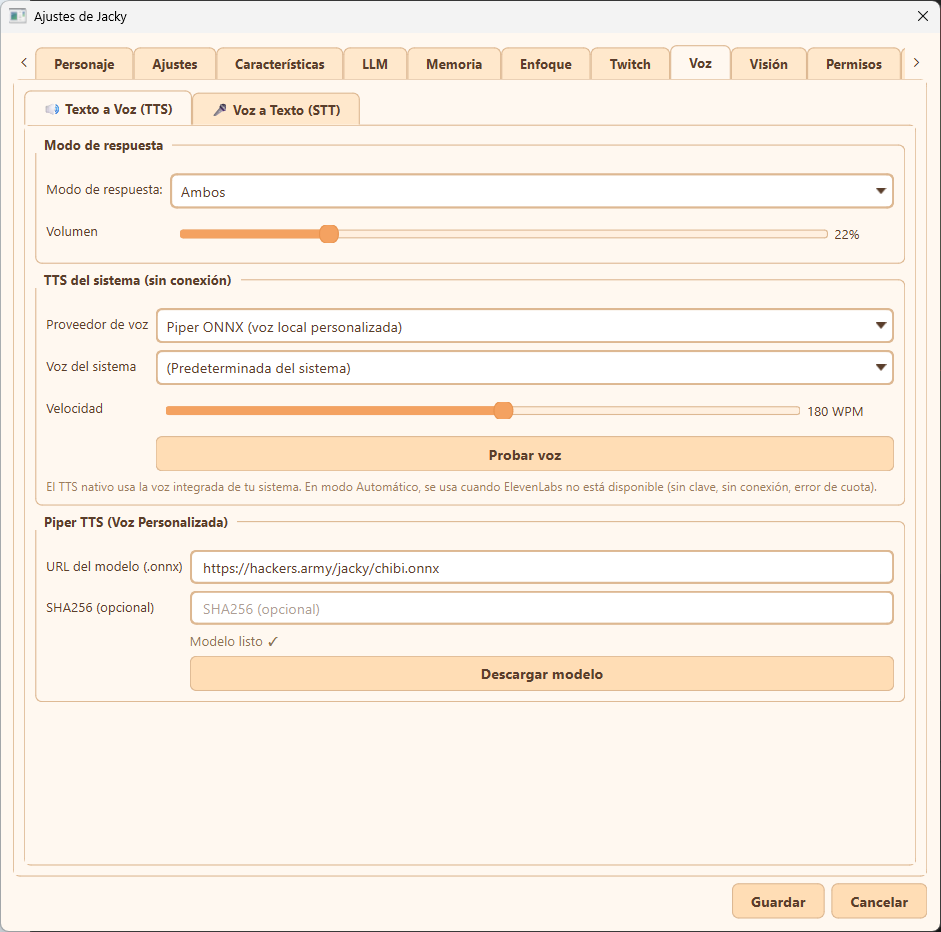
Text-to-Speech (TTS) settings sub-tab
TTS Providers
| Provider | Type | Description |
|---|---|---|
| Piper | Local | Runs a custom ONNX voice model entirely on your machine — no API key, no internet, zero latency. Point piper_model_url to any Piper-compatible .onnx model and Jacky downloads it automatically. |
| ElevenLabs | Cloud | High-quality cloud voices. Requires an API key from elevenlabs.io. |
| Native | System | Uses the OS built-in speech engine (SAPI on Windows, say on macOS). No setup needed. |
Configuration Details (tts)
- Response Mode (Modo de respuesta): Choose how Jacky replies (e.g. text only, voice only, or both).
- Volume (Volumen): Adjust the playback volume of synthesized voices.
- TTS Provider Config (
tts_provider): The config key accepts"piper","elevenlabs","native", or"auto"(tries ElevenLabs → native fallback). Piper and ElevenLabs both automatically fall back to native TTS on failure so Jacky is never silent. - Voice Speed (Velocidad): Adjust speech speed (in words per minute, WPM).
- Voice Test (Probar voz): Click to play a test phrase with your current settings.
- Piper TTS Custom Model: Point to any Piper
.onnxmodel URL (such as our default chibi voice model) to download and use a completely local custom voice model. - Local Caching: All synthesized audio is cached locally (in
~/.jacky/tts_cache/) so repeated phrases play instantly.
Speech-to-Text (STT)
Configure how Jacky listens to you. Jacky uses voice activity detection (VAD) and speech recognition engines to transcribe your voice.
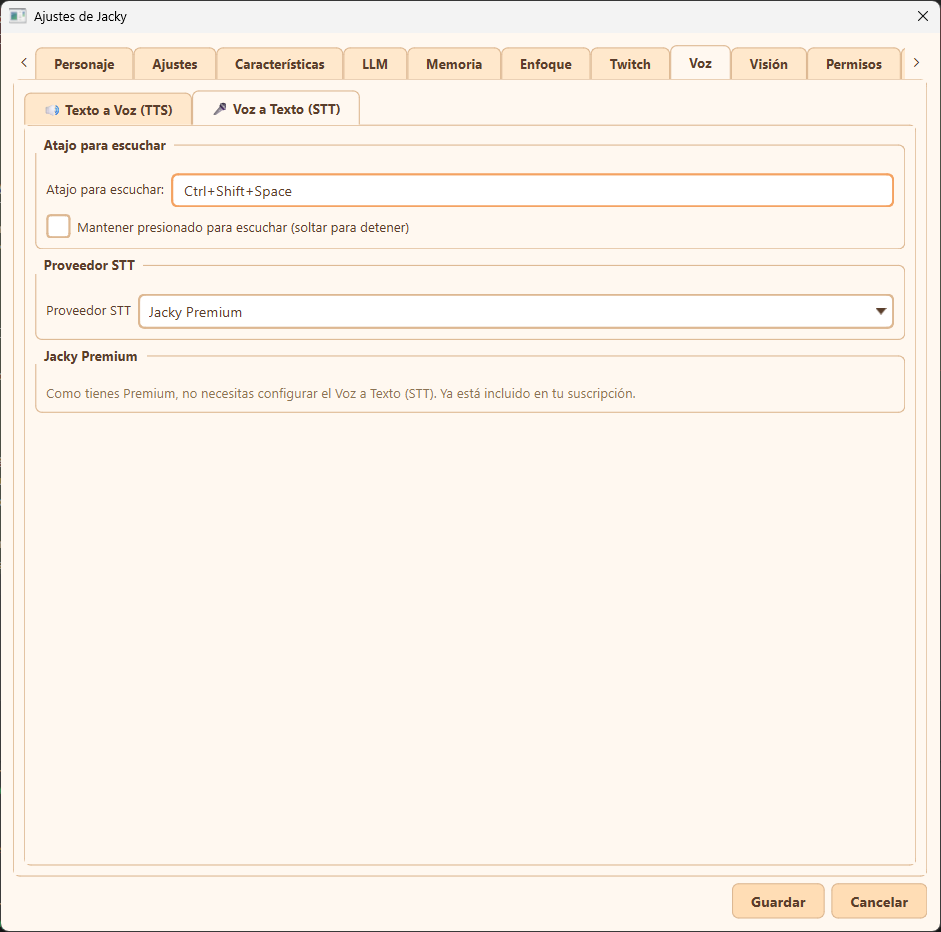
Speech-to-Text (STT) settings sub-tab
STT Providers
- Local (Whisper ONNX) — Completely offline, highly accurate speech recognition using
sherpa-onnxWhisper models (tiny,base, orsmall). Models are downloaded automatically on demand directly to your cache directory. - Whisper (Groq) — Whisper models via Groq API (
whisper-large-v3). Uses your Groq API keys if configured. - AssemblyAI — Real-time cloud streaming with a local VAD pre-gate (via
webrtcvad/silero) to reduce costs — the billed WebSocket only opens once speech is detected. Requires an API key.
Configuration Details
- Listening Shortcut (Atajo para escuchar): Press
Ctrl+Shift+Space(configurable) to toggle voice recording. - Hold to Speak (Mantener presionado): Optionally enable push-to-talk behavior (keep pressed to record, release to stop).
- Jacky Premium: If you are using Jacky Premium, Speech-to-Text is fully managed and integrated without requiring any third-party API key configurations.